
NextEra Marketing Forms and Documents
How to on Jotform forms (If not embedded)
IMPORTANT!
if you want to send to client do this:
Go to the “Publish” tab in Jotform (top menu) or when outside of form builder, at the rightmost part of screen, there is "More" option. click that and click publish

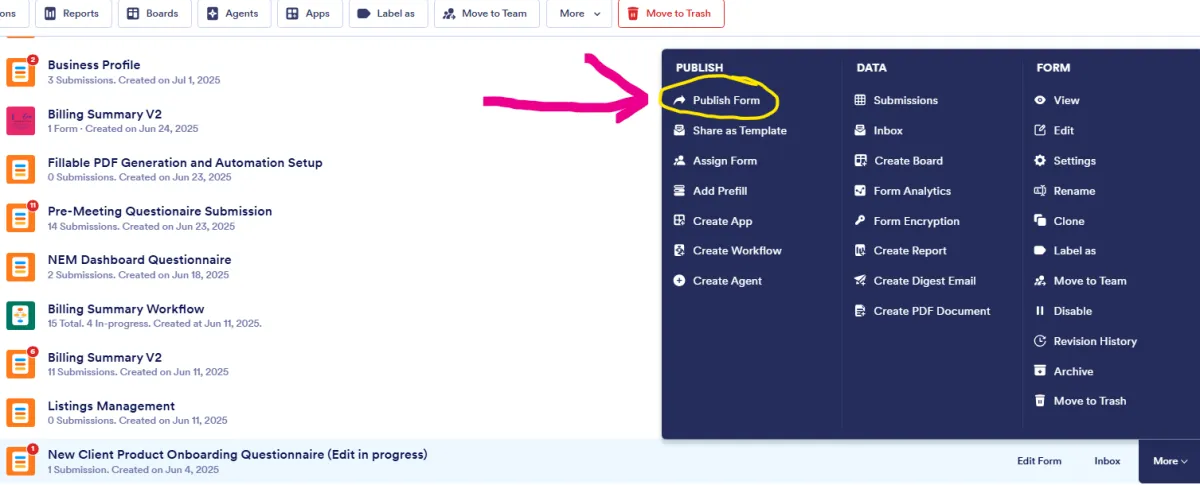
Under “publish”
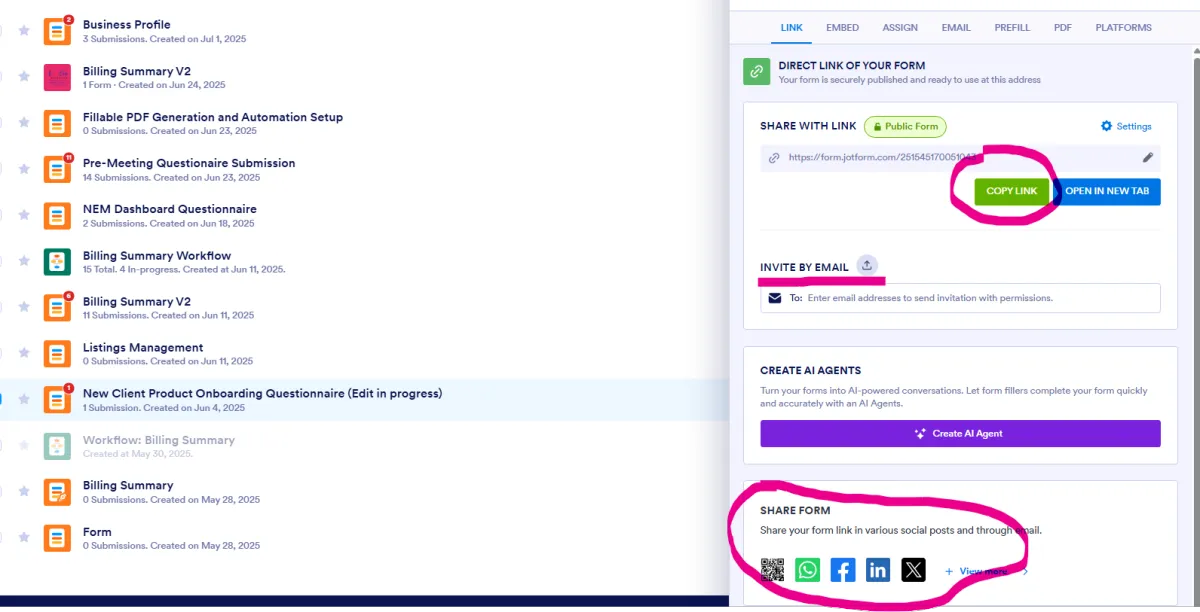
Do NOT send any “session” or “draft” links — only the clean public link.
the reason you are seeing open draft or new is because you are opening in your PC/laptop, which you have done before. so it sees your session, not the clients.